n8n Webhook Not Triggering? 7 Causes and How to Fix Them
n8n Webhook Not Triggering? 7 Causes and How to Fix Them
Your webhook URL looks correct. The workflow is active. But nothing happens when the request comes in.
This is one of the most common n8n issues, and it almost always comes down to one of seven causes. Here's how to find yours.
Quick Checklist
Before digging deeper, check these three things first — they account for most cases:
- Is the workflow activated or published (top right of the canvas)?
- Are you using the Production URL, not the Test URL, outside the editor?
- Did you click "Listen for test event" if you're testing inside the editor?
If none of those fix it, go through the causes below in order.
1. Using the Test URL in Production
n8n gives you two webhook URLs: Test and Production. They are not interchangeable.
- The Test URL only works while you have the workflow open and have clicked "Listen for test event." It expires after one use.
- The Production URL works continuously, but only once the workflow is activated.

Fix: Copy the Production URL (shown in the webhook node once the workflow is active) and use that in your external service — not the Test URL.
2. Workflow Not Activated or Published
This sounds obvious, but it's the single most common cause. Depending on your n8n version, you'll either see an Active/Inactive toggle or a "Publish" button in the top right of the canvas. If the workflow hasn't been activated or published, the webhook node does not listen for anything, even if everything else is configured correctly.
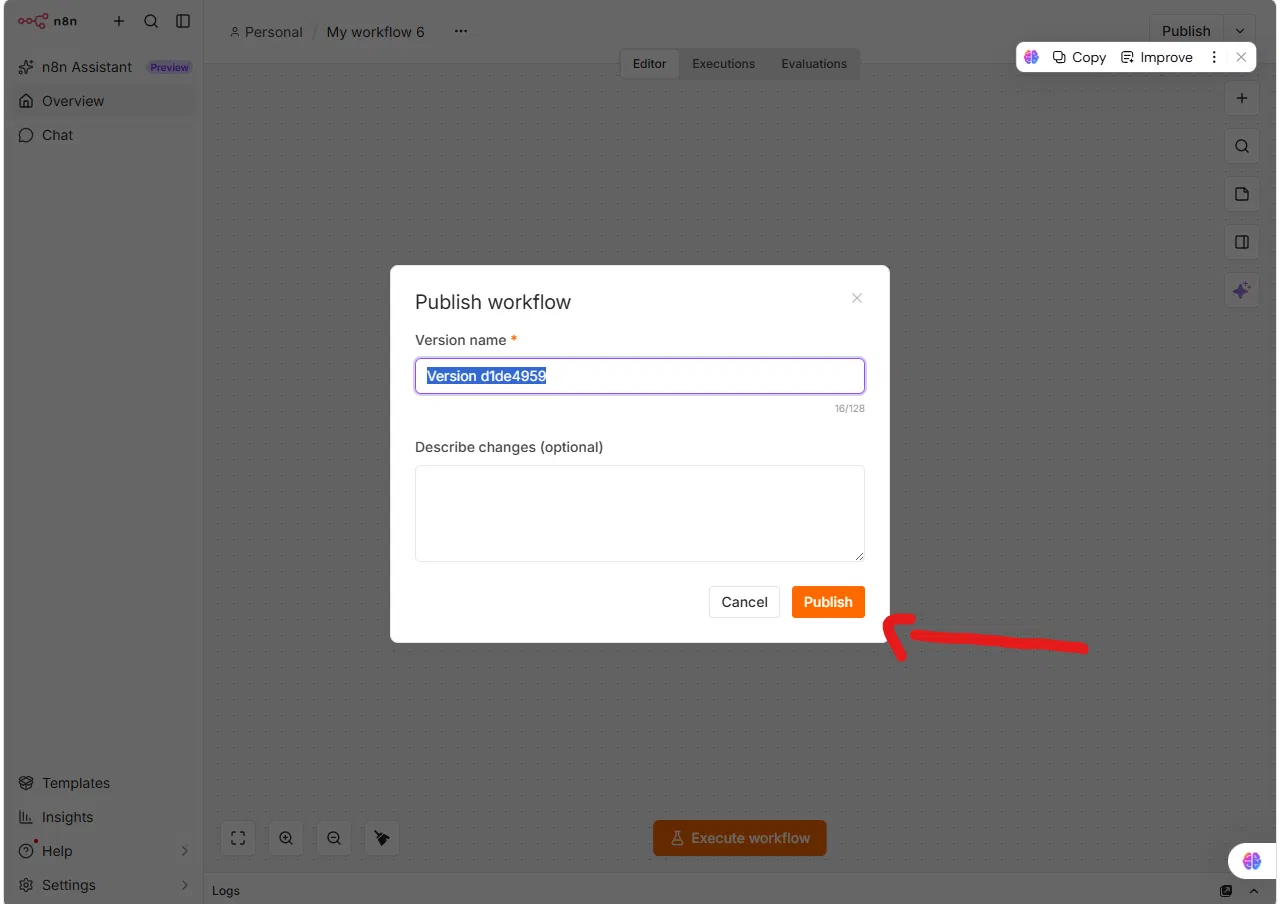

Fix: Click Publish (or toggle Active, on older versions) and confirm the workflow shows a "Published" or "Active" status before testing from outside the editor.
3. Wrong HTTP Method
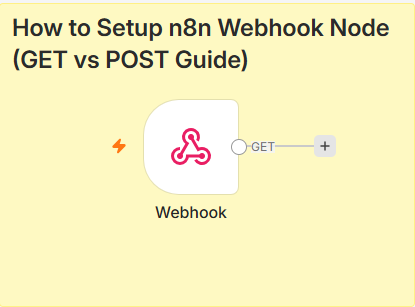
The webhook node has a method setting: GET, POST, PUT, DELETE, etc. If your external service sends a POST request but the node is configured for GET, the webhook will not trigger — n8n returns a 404 instead of running the workflow.
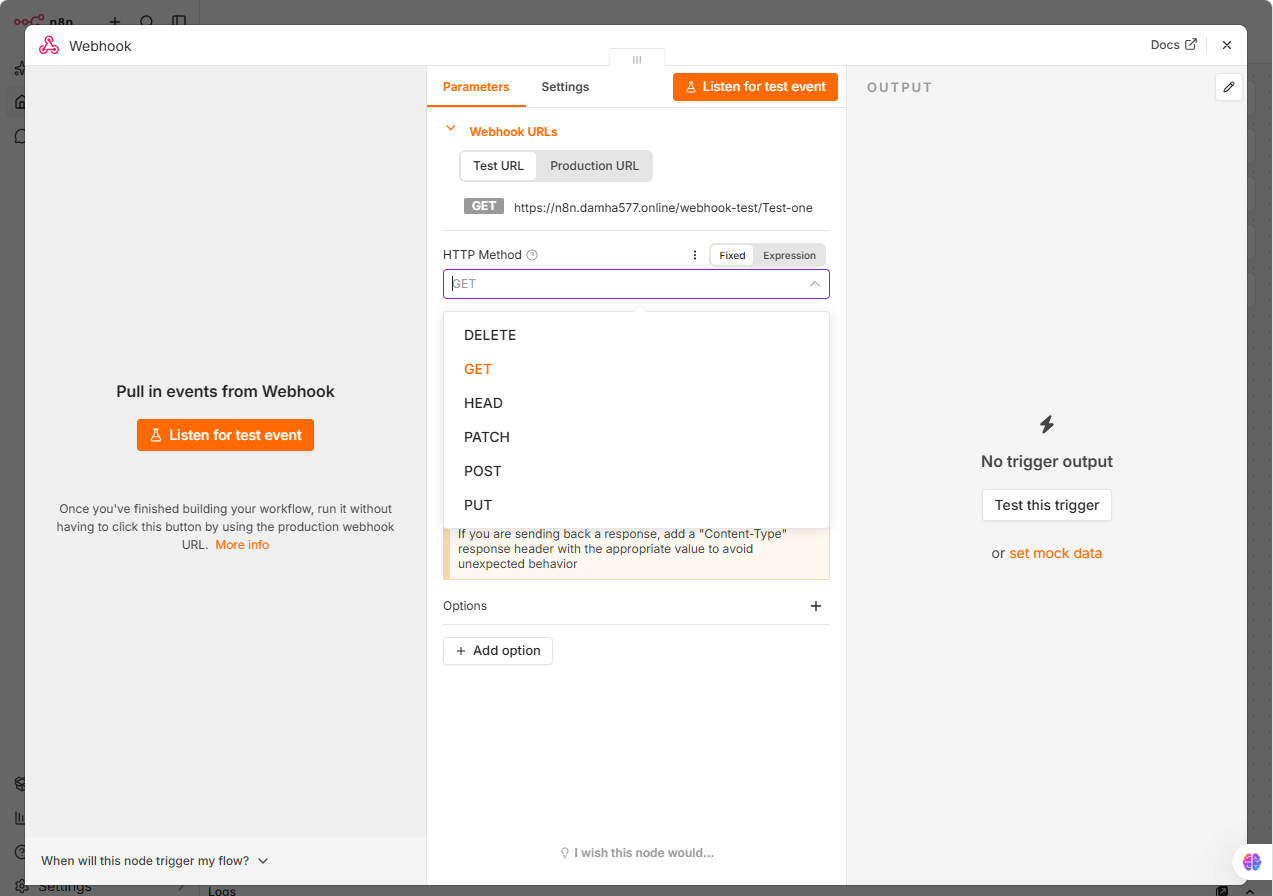
Fix: Open the webhook node and check the "HTTP Method" field matches exactly what the sender is using. If you're not sure what the sender uses, check their documentation or inspect the request in a tool like RequestBin.
4. Path Conflicts or Typos
If two webhook nodes (in different workflows) use the same path, or if there's a typo in the path field, requests can silently fail to route correctly.
Fix:
- Open each active workflow and check for duplicate webhook paths.
- Copy the path directly from the node rather than retyping it in the sender's config.
5. Firewall or Network Blocking (Self-Hosted Only)
If you're self-hosting n8n, the incoming webhook request has to actually reach your server. A firewall rule, reverse proxy misconfiguration, or missing port forwarding will block it before n8n ever sees it.
Fix:
- Confirm port 5678 (or your configured port) is open and reachable from outside your network.
- If using a reverse proxy (nginx, Caddy), check that it's correctly forwarding
/webhook/paths to n8n. - Test with
curl -X POST https://your-domain.com/webhook/your-pathfrom an external machine, not from inside the same server.
6. Webhook Node Is Disconnected From the Rest of the Workflow
If the webhook node exists on the canvas but isn't connected to any downstream nodes, n8n will still receive the request and return a response, but nothing visible happens — which looks identical to "not triggering."
Fix: Check that the webhook node has an output connection to the next node in the workflow.
7. Authentication Mismatch
If you've set the webhook node to require authentication (Header Auth, Basic Auth, or JWT) but the sender isn't including the correct credentials, n8n will reject the request silently in most client logs.

Fix:
- Open the webhook node's Authentication settings.
- Confirm the sender is including the exact header name and value (or credentials) configured there.
- Temporarily set Authentication to "None" to confirm this is the cause, then re-enable it once the sender is fixed.
How to Debug It Properly
If you've checked all seven and it's still not working, do this:
- Open the Executions tab in n8n. If no execution appears at all when you send the request, the problem is network-level (cause 5) — n8n never received it.

- If an execution does appear but shows an error or stops immediately, open it and check which node failed.
- Use
curlor Postman to send the request directly, bypassing whatever external service you were using — this isolates whether the problem is n8n or the sender.
When It's Not n8n at All
Sometimes the sender itself isn't actually sending the request — a misconfigured webhook in Stripe, GitHub, or a third-party form tool. Before assuming n8n is broken, check the sending service's own delivery logs (most platforms, including Stripe and GitHub, show a log of webhook attempts and their response codes).
Related Reading
If you haven't set up the webhook node yet, start with our guide to GET vs POST webhook setup.
Need Help with a Stuck Workflow?
If you've gone through all seven and it's still not triggering, send me the details. I debug n8n workflows for a living.
Official Documentation
- n8n Webhook Node Docs: https://docs.n8n.io/integrations/builtin/core-nodes/n8n-nodes-base.webhook/
- n8n Community Forum (Webhook issues): https://community.n8n.io/c/questions/webhooks
Frequently Asked Questions
Q1: Why does my n8n webhook return a 404 error?
A1: Usually a method mismatch (GET vs POST) or using the Test URL after it has expired. Check the HTTP method set in the webhook node matches what the sender uses.
Q2: Why does my webhook work in testing but not in production?
A2: You’re likely still using the Test URL. Switch to the Production URL and make sure the workflow is activated or published.
Q3: How do I know if n8n received the webhook request at all?
A3: Check the Executions tab. If no execution shows up when the request is sent, the request never reached n8n — the issue is network-level, not workflow-level.
Q4: Can a firewall block my n8n webhook?
A4: Yes, if you’re self-hosting. The incoming request has to reach your server’s port before n8n can process it. Test with curl from an external machine to confirm.
Q5: Why does my webhook silently fail with no error?
A5: This is often an authentication mismatch — the webhook node is rejecting requests that don’t include the expected header or credentials, and some client tools don’t surface that rejection clearly.
Need custom automation?
Tell us about your process and we'll build the workflow for you.
Contact us